
 English
  Vietnamese
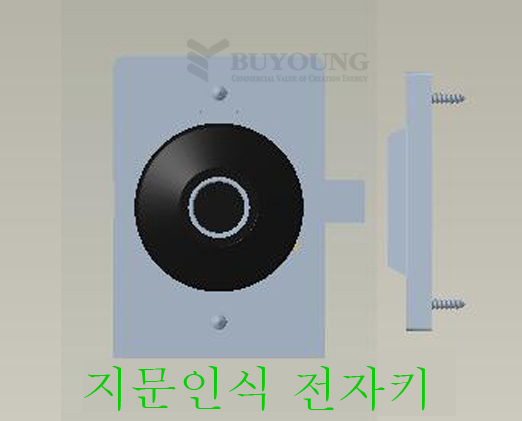
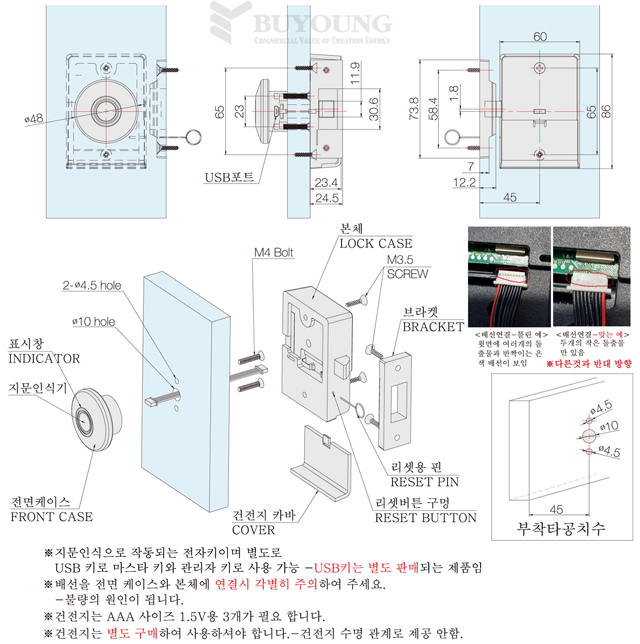
|
|||||||||||||||||||||
※ Mode: Available in auto mode and switch mode.
※ When the product is shipped, it will be shipped in automatic mode.
※ Automatic mode: When the product is operated, the latch is lowered and can be opened.
After 4 seconds, the latch will automatically lift and lock.
Even if the door is closed with the latch raised, it will automatically lock.
※ Switch mode: When the product is operated, the latch is lowered and can be opened.
stay down.
To lock the door, close the door and press the # button, the latch will raise.
It becomes locked.
※ When the battery runs out, it can be opened by connecting the power to the USB port.
※ How to change mode
◎ If you insert the pin into the reset hole and press it for about 4 seconds, you will hear a beep beep beep (4 times).
If you press next, you will hear a beep (2 times) and the mode has changed.
◎ After changing the mode, you need to re-register your fingerprint and number.
1. Fingerprint registration—A total of 20 fingers can be registered
Insert the pin into the reset hole, press for about 1 second and then release, you will hear a beep (1)
When you press the finger you want to register on the fingerprint reader once, the blue light will light up and then tap 5 more times.
(Tap a total of 6 times), it turns green and is registered.
※If the registration is incorrect, the red light will be on and you will have to re-register from the beginning.
※When opening, use the registered finger to press the fingerprint reader, the green light will light and continue (2 seconds)
When pressed, the light turns green to open.
※If you press with an unregistered finger, the blue light will be on and the red light will be on again.
It beeps and won't open.
2. Additional fingerprint registration
Insert a pin into the reset hole, press and hold for about 1 second and when released you will hear a beep (1)
If you press the finger you want to add to the fingerprint reader once, the blue light will turn on and you continue to press 5 more times.
If you press it (6 times total) it will turn green and it is registered.
3. Remove fingerprints
Insert a pin into the reset hole and press it for about 4 seconds until you hear a “beep” sound (4 times) and immediately pull out the pin.
If you do so, all registered fingerprints will be deleted.
※If fingerprints are not registered or all have been deleted, press any finger
It will open and automatically lock again after 4 seconds.
4. Replace the battery (battery) — In general, the battery can be used for about 1 year
When you turn on the power after using it for a certain period of time, it will beep 6 times and the red light flashes 6 times.
This means the power supply is insufficient. Replace the battery as soon as possible.
If possible, use a USB port for power.